

Use this option to create a new collection. Please note that each collection requires it�s own Windows folder, and the data files cannot be renamed (ie. MFPDATA.TPS must be the name of the main file).
Select File, then New Collection, or press CTRL+N.
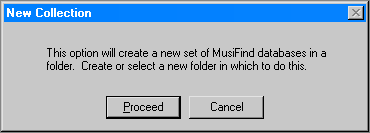
Select Cancel if you do not wish to create a new collection, or Proceed.
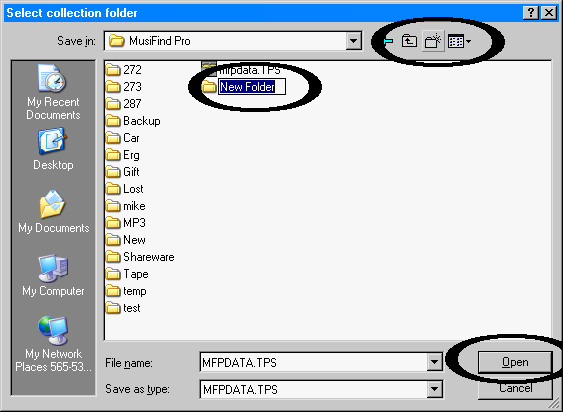
Click the �New Folder� icon (a picture of a folder with a star on the upper-right-hand corner), and enter the name of your new collection where the words �New Folder� appear. When you are done, press Enter or double-click on the new folder.
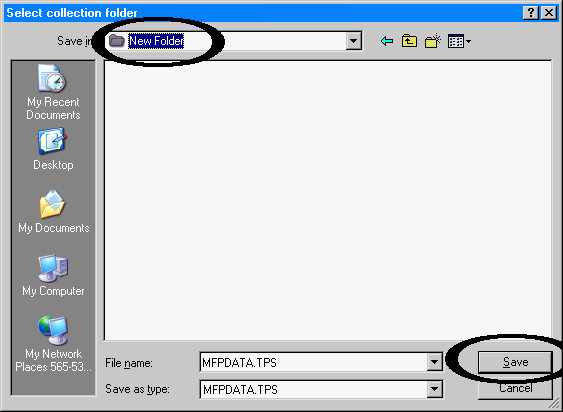
Press the �Save� button to complete the creation of a new collection.
Your existing options will be copied to the new collection, but not the primary databases (such as the lists of albums or songs).