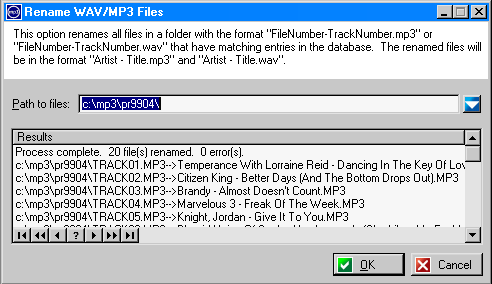
Audio software (such as Roxio Easy CD Creator) that names tracks as �Track01.wav�, �Track02.mp3�, etc when ripping CDs can be frustrating to use, and it is time-consuming to rename the files by hand. If these files are placed in a folder named the same as a file number, this option can be used to rename the files in one of 7 formats (eg. �Artist � Track�, �Artist � Album � Track � Title�, etc). Also supported is renaming files currently named �File Number � Track Number�.
For example:
Original Names:
c:\Music\PR0107\Track01.WAV
c:\Music\Ripped\PR0107-12.MP3
Assuming there is an album in your collection with the file number �PR0107�, these would be renamed as:
Renamed:
c:\Music\PR0107\Nelly Furtado � On The Radio.WAV
c:\Music\Ripped\3 Doors Down � Be Like That.MP3